Odoo Setup Process
Odoo Setup Built Around the Way Your Business Actually Works
Odoo can help organize your business, but only when it is set up around the way your team actually works.
SupportCrewe helps contractors, manufacturing businesses, and service businesses set up Odoo workflows for CRM, sales, website forms, projects, documents, tasks, customer communication, automation, and daily operations.
We do not just turn on apps and leave you with a system to figure out alone. We review your workflow, configure the right Odoo apps, organize your data, build practical processes, train your team, and help maintain the system as your business grows.
Odoo Setup Should Match the Workflow, Not the Other Way Around
A common mistake with Odoo is trying to force the business into a generic setup.
That usually leads to confusion. CRM stages do not match the sales process. Forms do not collect the right information. Tasks are not assigned clearly. Documents are hard to find. Automations create noise instead of helping. The team stops using the system because it does not feel practical.
SupportCrewe starts with your workflow first.
We look at how leads come in, how customers are handled, how quotes are prepared, how tasks move, how documents are stored, how projects are tracked, and where your team needs better visibility.
Then we configure Odoo around that process.
Our Step-by-Step Process
Workflow Discovery
Before setting up Odoo, we review how your business currently operates.
For contractors, this may include lead intake, estimate scheduling, quote follow-up, signed quotes, deposits, job coordination, field updates, and review requests.
For manufacturing businesses, this may include inquiries, product details, quotes, sales orders, purchasing, inventory-related workflows, production steps, and customer updates.
For service businesses, this may include consultation requests, appointment scheduling, proposals, client onboarding, task tracking, and follow-ups.
The goal is to understand what Odoo needs to support before building the system.
App Selection
Odoo has many apps, but every business does not need every app on day one.
SupportCrewe helps identify which apps should be included based on your workflow and support plan.
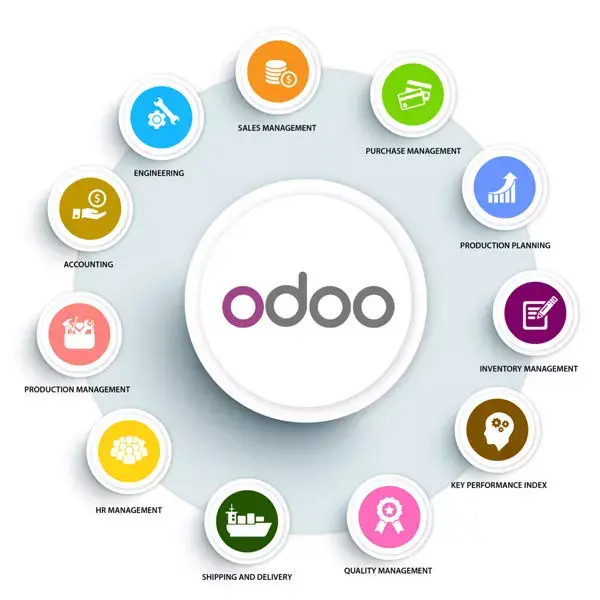
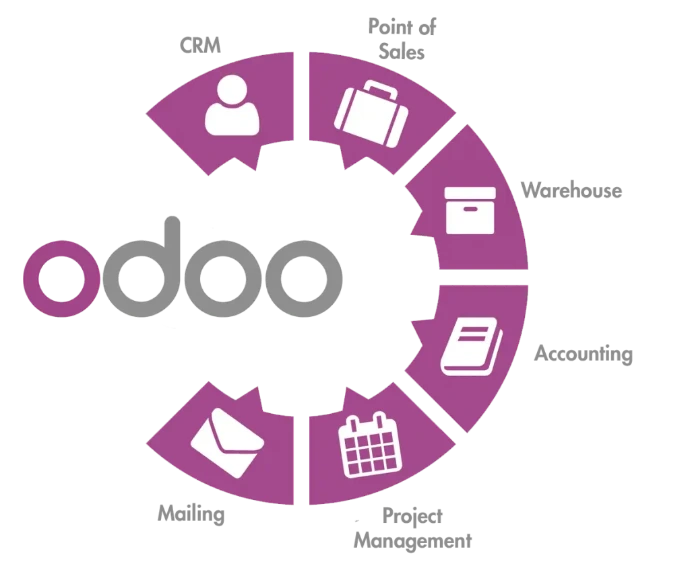
Common Odoo apps may include:
- CRM
- Website
- Project
- Documents
- Knowledge
- Inventory
- Accounting
- Sales
- Forms
- Field Service
- Helpdesk
- Email Marketing
- Manufacturing
- Invoicing
The goal is to keep the setup useful, not overloaded.
CRM and Pipeline Setup
The CRM is often the center of the workflow.
SupportCrewe helps set up CRM stages that match the way your business handles leads, quotes, follow-ups, approvals, and handoffs.
This may include lead sources, opportunity stages, activity reminders, sales team assignments, follow-up rules, customer notes, tags, and reporting views.
A clean CRM helps your team see what is new, what needs attention, what has been quoted, and what is ready for the next step.
Website Forms and Intake Setup
Good workflows start with good intake.
SupportCrewe helps set up Odoo website forms that collect the right information from customers, leads, clients, or prospects.
Depending on your business, this may include contact forms, quote request forms, service request forms, consultation forms, file upload forms, project detail forms, or support request forms.
The goal is to reduce back-and-forth by collecting useful information from the beginning.
Sales, Quotes, and Handoff Workflow
Odoo should help connect the sales process to the next stage of work.
SupportCrewe helps organize quote workflows, proposal steps, sales order tracking, follow-up activities, approval status, and handoff points.
For contractors, this may include quote prep, signed quote tracking, deposit status, and project handoff.
For manufacturing businesses, this may include quote requests, custom order details, sales orders, and production-related handoff.
For service businesses, this may include proposals, consultation status, approved work, and client onboarding.
Projects, Tasks, and Field Workflow
Once work is approved, the system needs to track execution.
SupportCrewe helps set up Odoo Projects, tasks, Field Service workflows, task stages, internal assignments, deadline reminders, and activity tracking. This helps your team see what needs to be done, who is responsible, what stage the work is in, and what information is attached to the task.
For contractors, this may support job coordination and field updates.
For service businesses, it may support internal client tasks.
For manufacturing businesses, it may support sales-to-production task flow where appropriate.
Documents and Knowledge Base
A strong Odoo setup should make information easier to find.
SupportCrewe helps organize Odoo Documents and Knowledge so your team has a cleaner place for files, SOPs, templates, instructions, customer records, business documents, and internal guides.
This may include folders, document naming rules, training notes, internal procedures, message templates, service instructions, or project files.
The goal is to stop important information from being buried in email threads, personal folders, or old spreadsheets.
Automation and Reminders
Odoo automations can save time when they are built carefully.
SupportCrewe helps create practical automations that support the workflow without making the system confusing.
This may include follow-up reminders, task creation from forms, CRM activity scheduling, internal notifications, quote follow-up activities, document reminders, and customer communication triggers.
The goal is not to automate everything. The goal is to automate the repetitive steps that help the team stay consistent.
User Access and Team Roles
A system works better when each person has the right access and responsibilities.
SupportCrewe helps set up users, roles, permissions, team assignments, and workflow ownership inside Odoo.
This helps define who can view records, who updates CRM stages, who manages tasks, who handles forms, who reviews quotes, and who supports customers.
Clear roles reduce confusion and help the team use Odoo with more confidence.
Training and Go-Live Support
Once the system is prepared, the team needs to understand how to use it.
SupportCrewe provides practical Odoo training based on your workflow. We show users how to manage the steps they are responsible for, instead of overwhelming them with every feature in the system.
Training may include CRM use, form handling, task updates, document management, quote workflows, project tracking, activity reminders, and internal SOPs.
After training, the system moves into active use with support available for questions, corrections, and improvements.
What Makes SupportCrewe’s
Odoo Setup Different?
SupportCrewe focuses on the workflow behind the software.
We do not treat Odoo as a one-time technical setup. We treat it as the operating system for your daily process.
That means we help connect the parts that usually get separated: leads, forms, CRM, quotes, tasks, documents, customer communication, projects, automations, and follow-ups.
The setup is designed to be practical, usable, and easier to maintain.
Who This Odoo Setup Process Is For?
This process is built for businesses that want Odoo to support real daily operations.
If your current system feels messy, disconnected, or underused, SupportCrewe can help organize it into a clearer workflow.
It works well for:
Property contractors
Manufacturing businesses
Businesses moving away from spreadsheets
Businesses that need CRM and workflow structure
Businesses that need training and ongoing support
General contractors
Service businesses
Businesses with scattered communication
Businesses that already use Odoo but need cleanup
Support Powered by Odoo and Human Follow-Through
The first version of your Odoo setup is the foundation.
As your team starts using the system, workflows may need adjustments. Forms may need edits. CRM stages may need cleanup. Automations may need refining. Team members may need support. Documents may need better organization.
SupportCrewe can continue helping with Odoo support and maintenance so the system improves as the business grows.
[Explore Odoo Support & Maintenance]